In today’s fast-paced digital world, our laptops are often the epicenter of our productivity, but they can also be a source of discomfort and desk clutter. If you find yourself hunched over a tiny screen, wrestling with tangled cables, or constantly running out of ports, you’re not alone. The solution isn’t a new laptop, but rather a versatile accessory designed to transform your workspace: a laptop stand with a docking station. This all-in-one marvel combines ergonomic benefits with expanded connectivity, streamlining your setup and boosting your efficiency. As an Admin of Reviewcify.com with over a decade of expertise in ergonomic workspace solutions, I’ve seen firsthand how the right tools can make a profound difference to health and productivity. Let’s delve into how these innovative stands can revolutionize your daily grind and help you discover the perfect model for your needs.
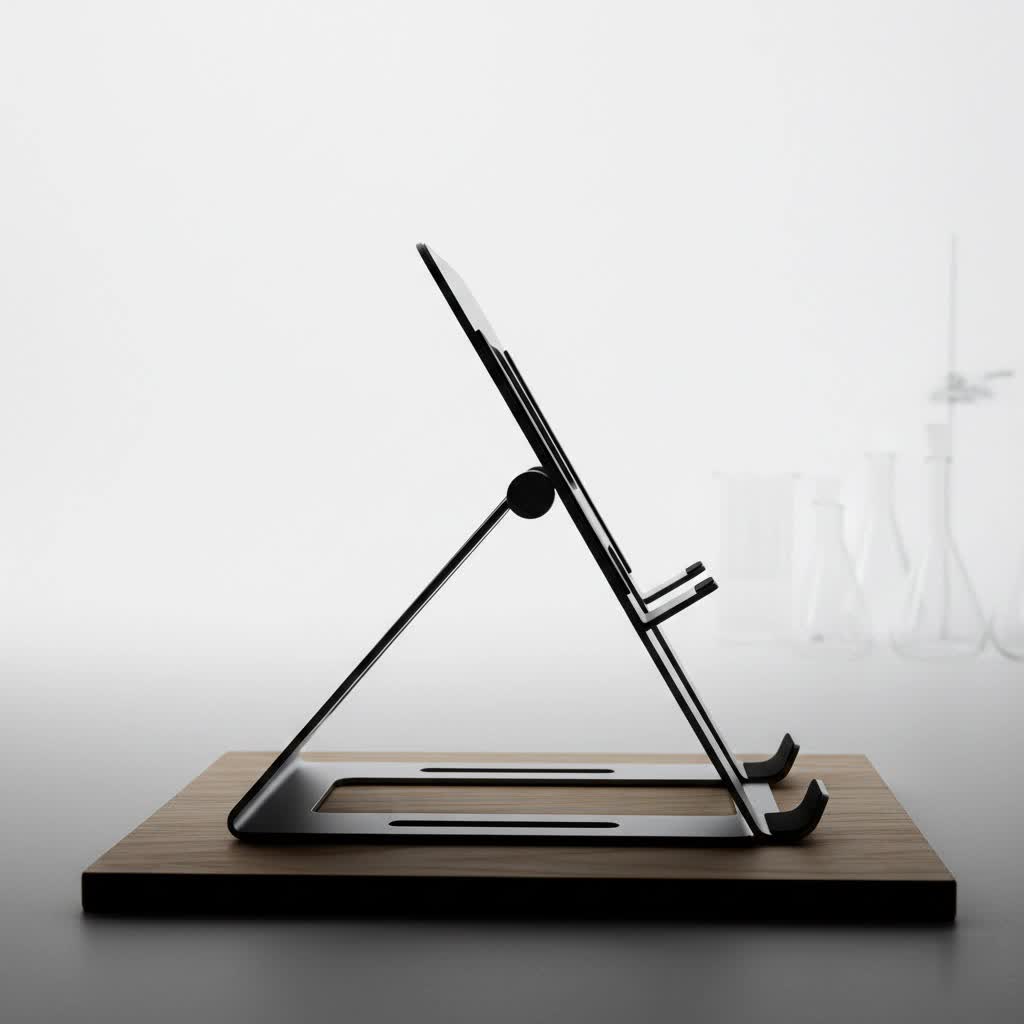
Why You Need a Laptop Stand with a Docking Station
A laptop stand with a built-in docking station addresses several common challenges faced by laptop users, fundamentally improving your computing experience.
- Posture Problems: Working on a laptop placed directly on a desk often forces you to look down, leading to a hunched posture. This can cause significant strain on your neck, shoulders, and back over time, contributing to what is commonly known as “tech neck” or chronic discomfort. An elevated stand brings your screen to eye level, encouraging a more upright and natural sitting position, thereby alleviating strain.
- Poor Heat Dissipation: Laptops can quickly overheat when used for extended periods, especially during demanding tasks. This reduces performance and can shorten the lifespan of your device. A laptop stand enhances airflow around your device, allowing heat to dissipate more effectively, which helps maintain optimal performance and extends your laptop’s longevity.
- Limited Workspace & Clutter: Modern laptops, while portable, often come with a limited number of ports, forcing you to constantly plug and unplug peripherals or rely on numerous adapters. This creates a messy desk filled with cables and dongles. A docking station centralizes all your connections, allowing you to connect multiple devices through a single cable to your laptop, significantly reducing clutter and creating a more organized and efficient workspace.
- Expanded Connectivity: Beyond ergonomics, a docking station transforms your laptop into a powerful desktop-like workstation. It provides a wide array of additional ports, such as USB-C, USB-A, HDMI, DisplayPort, and Ethernet, enabling you to connect external monitors, keyboards, mice, external hard drives, and other peripherals simultaneously. This increased connectivity is crucial for multitasking and complex workflows.
Popular Types of Laptop Stands with Docking Stations
The market offers a variety of laptop stands with integrated docking capabilities, each catering to different needs and preferences. Understanding their distinctions can help you choose the best fit for your unique setup.
- Fixed Laptop Stands with Integrated Dock: These stands offer a stable, unadjustable elevation for your laptop, with a docking station built into their base or side. Their primary advantages include high stability and often a more affordable price point. However, their lack of adjustability means you cannot customize the height or angle to suit various ergonomic needs, making them less versatile for dynamic workstations.
- Adjustable Laptop Stands with Integrated Dock: Providing greater flexibility, these stands allow you to modify the height and viewing angle of your laptop. They are ideal for improving your sitting posture and reducing physical strain by bringing the screen to eye level. While generally more expensive than fixed stands, their ergonomic benefits often outweigh the cost, offering a personalized and comfortable working experience.
- Portable/Foldable Laptop Stands with Integrated Dock: Designed for professionals who frequently work from different locations, these stands combine ergonomic benefits with ultimate portability. They fold down into a compact size, easily fitting into a backpack alongside your laptop. Despite their portability, many models offer decent stability and crucial docking functionalities, ensuring you maintain a productive setup wherever you go.
- Monitor Stands with Built-in Dock: Some designs integrate the docking station into a riser for an external monitor, providing space underneath for your laptop and peripherals. These are particularly useful if you use a large external display as your primary screen. The Anker 675 USB-C Docking Station is a prime example, offering multiple ports, a wireless charger, and cable management, all while elevating your main monitor.
Comparison Table of Laptop Stand Types
Choosing the right type depends heavily on your specific work environment and mobility requirements.
| Feature | Fixed Laptop Stand | Adjustable Laptop Stand | Portable/Foldable Stand | Monitor Stand with Dock |
|---|---|---|---|---|
| Stability | High | Medium – High | Medium | High |
| Adjustability | None | High (Height, Angle) | Low – Medium | None (for laptop height) |
| Portability | Low | Medium | High | Low |
| Price | Low | Medium – High | Medium | High |
| Best Suited For | Static desk setups | Home/Office, varied tasks | Frequent travelers, remote work | External monitor users, fixed desk |
How to Choose the Perfect Laptop Stand with Docking Station
Selecting the ideal laptop stand with a docking station involves considering several factors to ensure it meets your specific needs and enhances your workflow.
- Budget: Determine how much you are willing to spend. Prices can range from under $100 for basic models to several hundred dollars for advanced Thunderbolt docks with extensive features. Setting a budget will help narrow down your options significantly.
- Laptop Size and Compatibility: Ensure the stand can comfortably accommodate your laptop’s size (e.g., 10-inch to 17-inch). Also, check the docking station’s compatibility with your laptop’s ports, specifically if it requires USB-C, Thunderbolt 3/4/5, or USB4 for full functionality.
- Usage Needs: Your daily routine dictates the best choice. For a permanent home office, a robust adjustable stand or a monitor stand with a dock might be ideal. If you travel frequently or work from cafes, a lightweight, foldable, and portable option is essential.
- Required Features:
- Port Selection: List the ports you need (e.g., multiple USB-A for peripherals, HDMI/DisplayPort for external monitors, Ethernet for stable internet, SD card slots for content creation).
- Power Delivery (PD): Ensure the docking station provides sufficient wattage to charge your laptop (e.g., 65W, 85W, 100W, or even 140W for high-performance models) while powering connected devices.
- Display Output: If you use external monitors, verify the stand’s ability to support the number of displays, their resolution (e.g., 4K, 8K), and refresh rates (e.g., 60Hz) you require.
- Adjustability: Decide if you need adjustable height and angle for ergonomic customization.
- Additional Functionality: Consider features like built-in wireless charging for your phone, cable management solutions, or even an SSD enclosure for extra storage.
- Material: Opt for durable and sturdy materials like aluminum alloy, which not only provides stability but also aids in heat dissipation for your laptop.
- Connectivity Standard: While USB-C docks are widely compatible, Thunderbolt docks offer higher bandwidth, faster data transfer speeds, and often support more external monitors, making them suitable for power users and creative professionals.
Top Laptop Stand with Docking Station Models
The market offers a range of excellent laptop stands with integrated docking stations, each with unique strengths. Here are a few highly-rated examples that demonstrate the versatility available:
- Anker 675 USB-C Docking Station: This innovative solution acts as a monitor stand, elevating your external display while providing a comprehensive 12-in-1 docking station beneath it. It boasts an impressive 180W power supply (delivering up to 100W to your laptop), a variety of ports including USB-C, USB-A, HDMI, Ethernet, and card readers, plus a built-in Qi2 wireless charger. It’s an excellent choice for decluttering your desk and creating an organized multi-device setup, though it’s primarily designed for a stationary workstation and supports a single external monitor.
- Mukiya USB-C Laptop Docking Station Stand: For those seeking a truly ergonomic and portable solution, the Mukiya 8-in-1 USB-C docking station stand is a strong contender. It’s a fully adjustable and foldable laptop stand made from aluminum alloy, which helps dissipate heat. With 4K HDMI output, 100W power delivery (up to 85W to your laptop), and a range of essential ports, it keeps your laptop cool, charged, and connected, making it perfect for creative professionals and remote workers who need a clean, organized setup on the go.
- IOGEAR Dock Pro 6-in-1 4K Dock Stand: This model offers a unique foldable design that functions as both a laptop stand and a docking station, making it a practical option for students, home office workers, and those who need a portable yet functional setup. It provides essential connectivity, including 4K video output, while raising your laptop to an ergonomic viewing height and improving airflow. Its lightweight and anti-slip design ensures stability and ease of transport.
Where to Buy Laptop Stands with Docking Stations
Finding a reputable seller is key to ensuring you receive a quality product and good customer service. You can typically find a wide selection of laptop stands with docking stations from several reliable sources:
- Major E-commerce Platforms: Websites like Amazon, Walmart, and other regional equivalents (Shopee, Lazada, Tiki) offer extensive ranges, competitive pricing, and customer reviews.
- Electronics Retailers: Large electronics stores such as Best Buy, FPT Shop, or The Gioi Di Dong often stock popular models and allow you to see products firsthand.
- Specialized Tech Accessory Providers: Many brands known for their docking stations and ergonomic accessories (e.g., Anker, Kensington, CalDigit, Satechi) also sell directly through their official websites.
“A good laptop stand doesn’t just make your workspace more comfortable; it’s a long-term investment in your health and productivity.” – Nguyễn Văn A, Ergonomics Specialist
Conclusion
A laptop stand with a docking station is more than just an accessory; it’s a transformative tool for anyone looking to optimize their workspace and enhance their daily computing experience. By seamlessly integrating ergonomic elevation with expanded connectivity, these innovative devices combat poor posture, reduce desk clutter, and unlock your laptop’s full potential. Whether you prioritize portability, multi-monitor support, or simply a tidier setup, there’s a perfect solution waiting to streamline your digital life. Investing in the right stand means investing in your comfort, health, and productivity for years to come. So, are you ready to elevate your workspace and experience the difference?
Frequently Asked Questions
Which laptop stand with a docking station is best for frequent travelers?
|
Our Picks for the Best Laptop Stand in 2026
As an Amazon Associate I earn from qualifying purchases.
|
||
| Num | Product | Action |
|---|---|---|
| 1 | Lamicall Adjustable Laptop Stand, Portable Laptop Riser, Aluminum Laptop Stand for Desk Foldable, Ergonomic Computer Notebook Stand Holder for MacBook Air Pro, Dell XPS, HP (10-17.3'') - Silver |

|
| 2 | Steepy Portable Laptop Stand for Desk – Adjustable Height, & Portable Laptop Holder – Ergonomic Computer Stand for Cooling & Comfort – Slip-Proof, Sturdy Design – Universal Fit for 13-17 Inch Devices |
|
| 3 | BESIGN LS03 Aluminum Laptop Stand, Ergonomic Detachable Computer Stand, Riser Holder Notebook Stand Compatible with Air, Pro, Dell, HP, Lenovo More 10-15.6" Laptops, Black |
|
| 4 | GleYo Laptop Stand for Desk Detachable Aluminum Computer Riser Portable Metal Notebook Printer Stand Holder Compatible with MacBook Air, Pro, Dell, HP, Lenovo and All 10-16" Laptops, Silver |
|
| 5 | Steepy Portable Laptop Stand for Desk – Adjustable Height, & Portable Laptop Holder – Ergonomic Computer Stand for Cooling & Comfort – Slip-Proof, Sturdy Design – Universal Fit for 13-17 Inch Devices |
|
| 6 | Tonmom Laptop Stand for Desk, Adjustable Laptop Riser ABS+Silicone Foldable Portable Notebook Holder, Ventilated Cooling Notebook Mount Computer Stand for 10-15.6” Laptops,Tablets-Black |
|
| 7 | ETHU Laptop Floor Stand Adjustable Height, One-Hand Adjustment Projector Stand Tripod with Safety Lock, Heavy Duty Laptop Stand for Home Office Studio, Walnut |
|
| 8 | BESIGN LS03 Aluminum Laptop Stand, Ergonomic Detachable Computer Stand, Notebook Riser Compatible with Air, Pro, Dell, HP, Lenovo More 10-15.6" Laptops, Silver |
|
| 9 | Amazon Basics Sturdy and Portable Ergonomic Laptop Stand for Desk, Height Adjustable Riser with Ventilated Cooling, Foldable, Fits all Laptops up to 17.3 Inch, Silver, 10 x 8.7 x 6 in |
|
| 10 | Gogoonike Adjustable Laptop Stand for Desk, Metal Foldable Laptop Riser Holder, Portable Desktop Book Stands, Ventilated Cooling Computer Notebook Stand Compatible with 10-15.6” Laptops |
|
For frequent travelers, a portable and foldable laptop stand with an integrated USB-C docking station is ideal. Look for models made from lightweight aluminum alloy that fold flat for easy packing. These often include essential ports like HDMI, USB-A, and power delivery, allowing you to maintain an ergonomic and connected workstation wherever you go. The Mukiya USB-C Laptop Docking Station Stand and IOGEAR Dock Pro are excellent examples, offering crucial features without sacrificing mobility.
Can I use a laptop stand with a docking station with any laptop?
Most laptop stands with docking stations are designed for broad compatibility, typically connecting via a single USB-C cable. However, full functionality depends on your laptop’s USB-C port supporting specific features like video output (DisplayPort Alternate Mode) and power delivery. High-end docking stations, especially Thunderbolt docks, require a laptop with a compatible Thunderbolt port to unlock their full bandwidth and multi-monitor capabilities. Always check the stand’s specifications and your laptop’s port capabilities before purchasing.
Do laptop stands with docking stations actually improve productivity?
Absolutely. By providing an ergonomic setup, reducing cable clutter, and expanding connectivity options, these devices significantly enhance productivity. An elevated screen reduces physical discomfort, allowing for longer, more focused work sessions. Access to multiple external monitors, a full-size keyboard, and mouse creates a desktop-like environment, enabling efficient multitasking and a smoother workflow. This streamlined setup minimizes interruptions and maximizes your ability to get things done.
